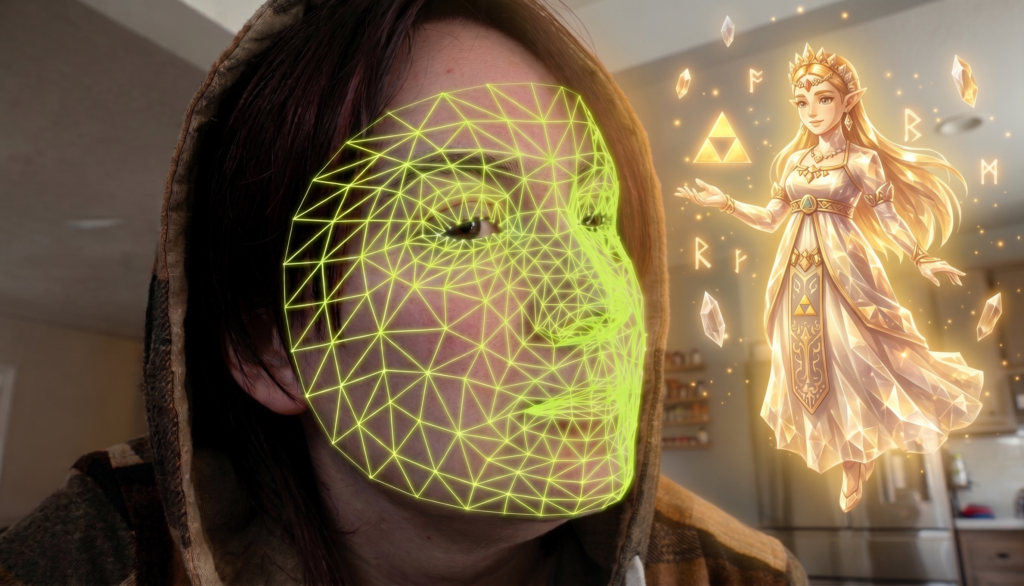
For a long time, adaptive gaming relied almost entirely on hardware solutions: hubs with dozens of ports, custom switches, and specialized joysticks. Today, Artificial Intelligence is providing new options, turning a standard webcam and microphone into highly capable supplementary tools. Instead of the user constantly adapting to the interface, software is helping the interface adapt to the user’s needs.
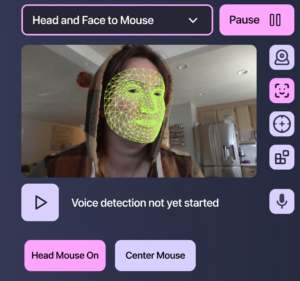
Optical Tracking: Pixels Instead of Plastic At the core of these technologies are computer vision algorithms that track facial landmarks in real time. For example, Google’s experimental Project Gameface reads facial expressions and head movements, translating them into basic in-game actions.
A practical, available example of this is the PlayAbility software. It acts as a system-level translator for Windows, allowing games to recognize facial inputs as standard gamepad presses:
-
Tracking Expressions: The software monitors changes in your facial features. You can map actions to specific movements, such as furrowing your brows to aim or using a slight smirk to activate a trigger.
-
Alternative Camera Control: Smooth head tilts and turns can be converted into mouse cursor movements or the right analog stick, providing another way to control the camera.
-
Hybrid Ecosystems: The program allows you to combine a webcam, microphone, keyboard, and physical adaptive controllers into a single profile. Notably, the base version of PlayAbility is currently free.
Hands-On Experience: Testing PlayAbility in Diablo 4 To see how well this works in practice, I recently tested PlayAbility during a two-hour session in Diablo 4. My goal was to offload some of the fast-paced inputs from my physical setup.
I configured the software to handle three specific actions: using a health potion, jumping/evading, and casting one of my skills. I mapped these actions to three distinct facial triggers:
-
Raising my eyebrows
-
Lifting my left cheek
-
Lifting my right cheek
The key actuation was highly precise. I was impressed by how accurately and reliably the program responded to my specific triggers. It successfully handled the inputs without frustrating misfires, proving to be a viable addition to an action-heavy game.
Classic Voice Control For those who prefer not to use facial tracking or just want to offload specific inputs, there are programs dedicated exclusively to voice control, such as VoiceBot and VoiceAttack.
These are practical solutions for triggering macros. VoiceBot, for instance, allows users to write advanced scripts (including in C#) and tie chains of commands to a single word. Such programs work well in tandem with tools like AutoHotkey, shifting routine or complex tasks to quick voice commands.
Building Custom Interfaces The main advantage of these systems lies in their software-driven flexibility. Users can build a unified setup where physical adaptive switches work alongside facial expressions and tuned voice scripts. While it’s not a magic bullet that removes all barriers, it significantly reduces physical fatigue and helps create a much more comfortable, personalized gaming experience.
This is really cool! I always think that I am lucky that I grew up loving video games, because when I need to rest in bed a lot they are incredible entertainment. And I figure when I am very elderly I will be able to play video games seamlessly as the tech keeps evolving for accessibility in ways like this!
This is amazing! Great post, please do more so the games industry can listen!